Pinterest Pin Dimensions: Crop or Pad a Photo to 1000 × 1500
A 2:3 canvas is a useful starting point for a vertical Pin. This guide explains how crop and padding change your composition and what to check before exporting.
Published by HD Reels Editorial. Suggest a correction.
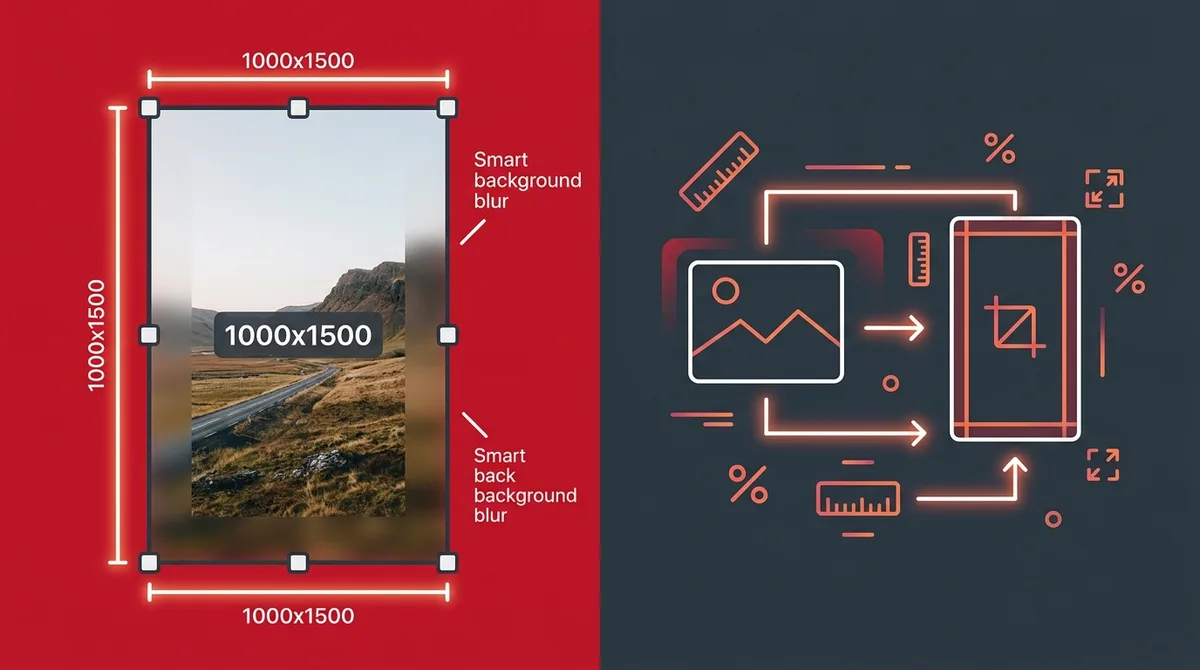
What Pinterest recommends
Pinterest recommends a 2:3 image ratio, such as 1000 × 1500 pixels, for standard image ads, and warns that taller images may be cut off in feeds. That is a formatting recommendation, not a promise of rankings, clicks or reach. Check the linked specifications for the format you plan to publish.
Worked example: a 1600 × 900 landscape photo
To fit a 1600 × 900 image inside a 1000 × 1500 canvas without cropping, scale its width to 1000 pixels. Its height becomes 562.5 pixels, leaving about 937.5 pixels of vertical space to fill, or roughly 469 above and below a centered image. The subject remains complete but appears smaller.
To fill the same canvas by cropping, scale the height to 1500 pixels. The image becomes about 2667 pixels wide, so approximately 1667 pixels must be removed across the left and right edges. This is a large crop: check for faces, product labels or objects near either edge.
Choose crop, blur padding or a plain border
Crop works when the subject is centered and the surrounding scene can be removed. Blur padding keeps the source composition visible and fills unused space with an enlarged blurred background. A white or dark border can suit artwork or screenshots when a blurred background is distracting. These are design choices; none guarantees engagement.
Export with the Pin Resizer
Open the linked Pin Resizer and upload an image. Select the Standard Pin 2:3 preset, then choose the framing mode. Inspect the preview before downloading. The standard preset exports a 1000 × 1500 JPEG; square and tall presets have different dimensions.
The tool uses browser canvas JPEG encoding with a quality setting of 0.95. This is not lossless compression or a guarantee of 95 percent visual fidelity. Keep the original file, especially when editing small text, logos or line art.
Check the image before publishing
Open the exported JPEG and inspect the subject, text edges and color. View it at a small size as well as full resolution: text that is legible on a large canvas may be hard to read in a feed. Upload a draft in Pinterest and check the preview before publishing. Source resolution, rendering and display size all affect appearance.
When a different format makes sense
Do not force every asset into a single ratio. Use a square layout when it suits the intended format and composition, and check separate specifications for video or collections. Resizing cannot recover missing detail from a thumbnail; begin with the largest suitable source image you are entitled to use.
References
Frequently asked questions
Does 1000 × 1500 guarantee more Pinterest traffic?
No. Dimensions control the shape and size of your image, not its distribution or engagement.
Can I preserve the whole landscape image?
Yes. Use padding rather than crop. The complete image will occupy a smaller area within the taller canvas.
Does the resizer produce a lossless file?
No. It exports a JPEG with compression. Keep the original image for future edits.
More from the journal
Read more tutorials and practical tips for saving social media.